C++20 for Programmers Now Available to O’Reilly Online Learning Subscribers
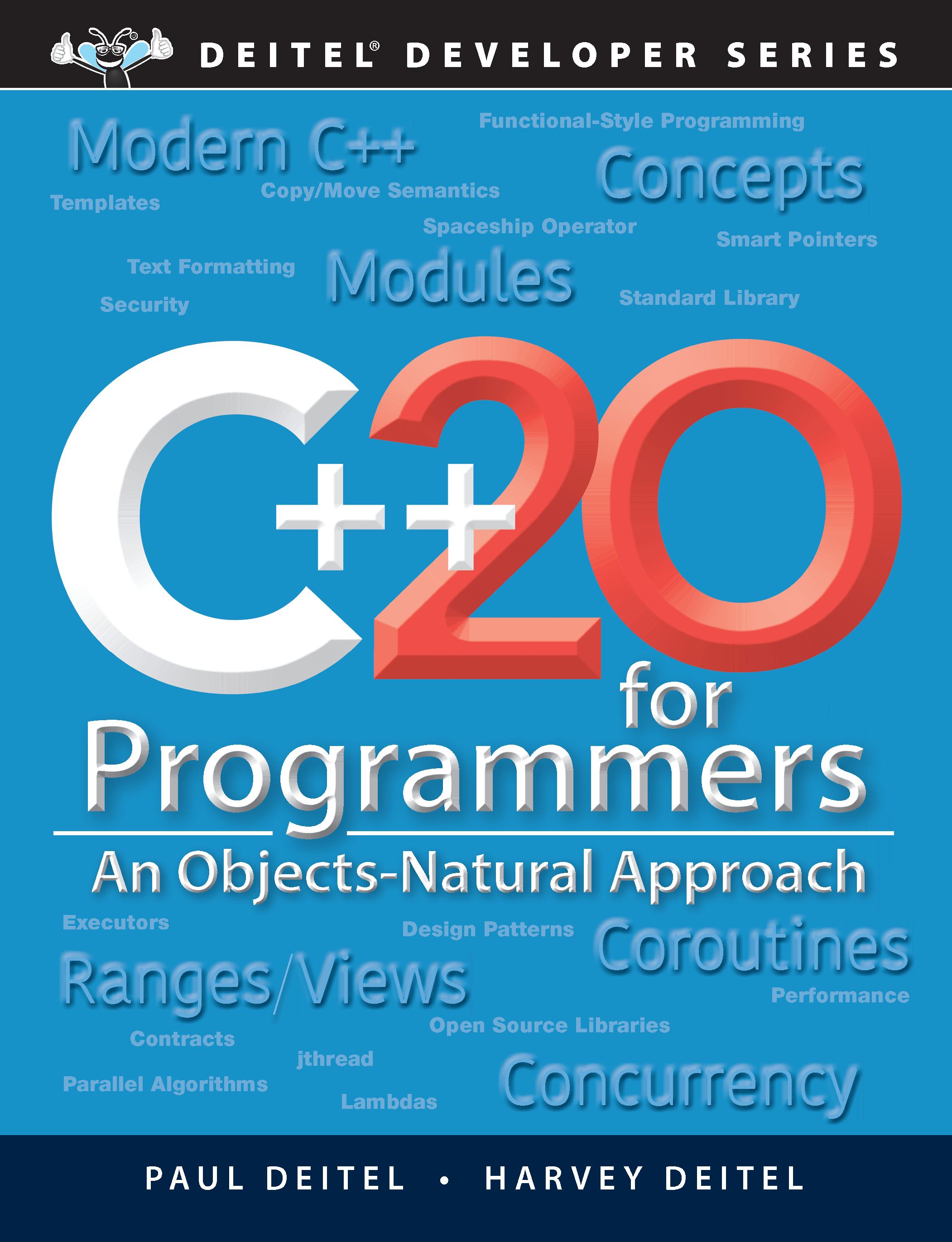
C++20 for Programmers Final Cover Image

C++20 for Programmers is now available to O’Reilly Online Learning Subscribers at:

https://learning.oreilly.com/library/view/c-20-for-programmers/9780136905776/

The print version should be in-stock mid-April. Preorder it at Amazon.com or other online book retailers.

Written for programmers with a background in another high-level language, in C++20 for Programmers, you’ll learn Modern C++ development hands-on using C++20 and its “Big Four” features:

  • Ranges
  • Concepts
  • Modules
  • Coroutines

In the context of 200+, hands-on, real-world code examples, you’ll quickly master Modern C++ coding idioms using popular compilers—Visual C++®, GNU® g++, Apple® Xcode® and LLVM®/Clang.

After the C++ fundamentals quick start, you’ll move on to C++ standard library containers array and vector; functional-style programming with C++20 Ranges and Views; strings, files and regular expressions; object-oriented programming with classes, inheritance, runtime polymorphism and static polymorphism; operator overloading, copy/move semantics, RAII and smart pointers; exceptions and a look forward to C++23 Contracts; standard library containers, iterators and algorithms; templates, C++20 Concepts and metaprogramming; C++20 Modules and large-scale development; and concurrency, parallelism, the C++17 and C++20 parallel standard library algorithms and C++20 Coroutines.

Features include:

  • Rich coverage of C++20’s “Big Four”: Ranges, Concepts, Modules and Coroutines
  • Objects-Natural Approach: Use standard libraries and open-source libraries to build significant applications with minimal code
  • Hundreds of real-world, live-code examples
  • Modern C++: C++20, 17, 14, 11 and a look to C++23
  • Compilers: Visual C++®, GNU® g++, Apple Xcode® Clang, LLVM®/Clang
  • Docker: GNU® GCC, LLVM®/Clang
  • Fundamentals: Control statements, functions, strings, references, pointers, files, exceptions
  • Object-oriented programming: Classes, objects, inheritance, runtime and static polymorphism, operator overloading, copy/move semantics, RAII, smart pointers
  • Functional-style programming: C++20 Ranges and Views, lambda expressions
  • Generic programming: Templates, C++20 Concepts and metaprogramming
  • C++20 Modules: Large-Scale Development
  • Concurrent programming: Concurrency, multithreading, parallel algorithms, C++20 Coroutines, coroutines support libraries, C++23 executors
  • Future: A look forward to Contracts, range-based parallel algorithms, standard library coroutine support and more

For more details, see the Preface, the Table of Contents diagram and reviewer testimonials.

Questions? Contact us!

Welcome to the New Deitel.com

Welcome to the new Deitel.com!

This new site will provide information about our

We’ll use our blog to discuss additional topics related to our books and training, announce new products, publish our live training schedule, and more.

Have comments, suggestions or questions? Contact us!

We hope you like the new design!

Are You Just Getting Started in Java Programming?

Are you just getting started with Java How to Program, 11/e, Early Objects versionJava 9 for Programmers or Java How to Program, 11/e, Late Objects version? You will need to install the Java Development Kit (JDK).

Getting the JDK

Updated January 11, 2021

As of this writing, the Java 15 is the current version and new versions are being released every 6 months—Java 16 is coming in March. For organizations interested in stable versions of Java with long-term support (LTS), these will be released every three years. The current LTS version is Java 11 (September 2018). The next LTS version will be Java 17 in September 2021. 

Oracle, Inc.—Java’s gatekeeper—offers the JDK for download from oracle.com, but Oracle recently changed their licensing terms. Their JDK is meant primarily for corporate users

For learning purposes, we recommend that you get your JDK from AdoptOpenJDK.net. Always read the software licenses for any software you install.

Once you’ve downloaded the installer for your operating system platform and the version of Java you intend to use, be sure to carefully follow the installation instructions for your platform (found further down the page).

Java FX for Graphical User Interfaces

Since Java 11, the graphical user interface (GUI) library we use in our Java books—Java FX—is no longer distributed as part of the Java Development Kit.

To run the first example in Chapter 1 and the examples in our later Java FX chapters, you’ll first need to install the Java FX Software Development Kit (SDK).

The Java FX SDK installation instructions are at https://openjfx.io/openjfx-docs/. You can download the JavaFX SDK from https://gluonhq.com/products/javafx/.

Be sure to download the version that matches your JDK version number and your platform and closely follow the installation instructions.

If you’re unsure what to download, please send us an email. You’ll need to set your PATH_TO_FX Environment Variable. This depends on where you place the SDK’s folder on your system and what version of the SDK you have. The samples below assume the Java FX SDK’s folder is in your user account’s Downloads folder. In the paths I show below, you need to replace

     “/Users/pauldeitel/Downloads/javafx-sdk-15.0.1”

or

     “c:\Users\pauldeitel\Downloads\ javafx-sdk-15.0.1”

with the correct full path on your system and the JavaFX SDK version number for the specific version you downloaded.

Mac/Linux:

     export PATH_TO_FX=/Users/pauldeitel/Downloads/javafx-sdk-15.0.1/lib

Windows:

     set PATH_TO_FX="c:\Users\pauldeitel\Downloads\javafx-sdk-15.0.1/lib"

Compiling and Running the Painter App in Chapter 1

To compile the Painter app in Chapter 1 use the following command in your Command Prompt (Windows), Terminal (macOS or Linux) or shell (Linux)—Windows users should replace $PATH_TO_FX with %PATH_TO_FX%

     javac --module-path $PATH_TO_FX --add-modules=javafx.controls,javafx.graphics,javafx.fxml *.java

To run the Painter app, use the following command—Windows users should replace $PATH_TO_FX with %PATH_TO_FX%

     java --module-path $PATH_TO_FX --add-modules=javafx.controls,javafx.graphics,javafx.fxml Painter

If you’re having any trouble at all, please send us an email. We’re happy to help you get up and running!

Pin It on Pinterest