
Building OpenAI API-Based Java GenAI Applications—A Guide to the Deitel Videos on the O’Reilly Online Learning Subscription Site
[Estimated reading time for this document: 20 minutes. Estimated time to watch the linked videos and run the Java code: 5 hours. Please share this guide with your friends and colleagues who might find it helpful.]
This comprehensive guide overviews Lesson 19, Building OpenAI API-Based Java Generative AI Applications, from my Java Fundamentals video course on O’Reilly Online Learning. The lesson focuses on building Java apps using OpenAI’s generative AI (genAI) APIs and the official openai-java library. This document guides you through my hands-on code examples and provides “Try It” exercises for experimenting with the APIs. You’ll leverage the OpenAI APIs to create intelligent, multimodal apps that understand, generate and manipulate text, code, images, audio and video content.
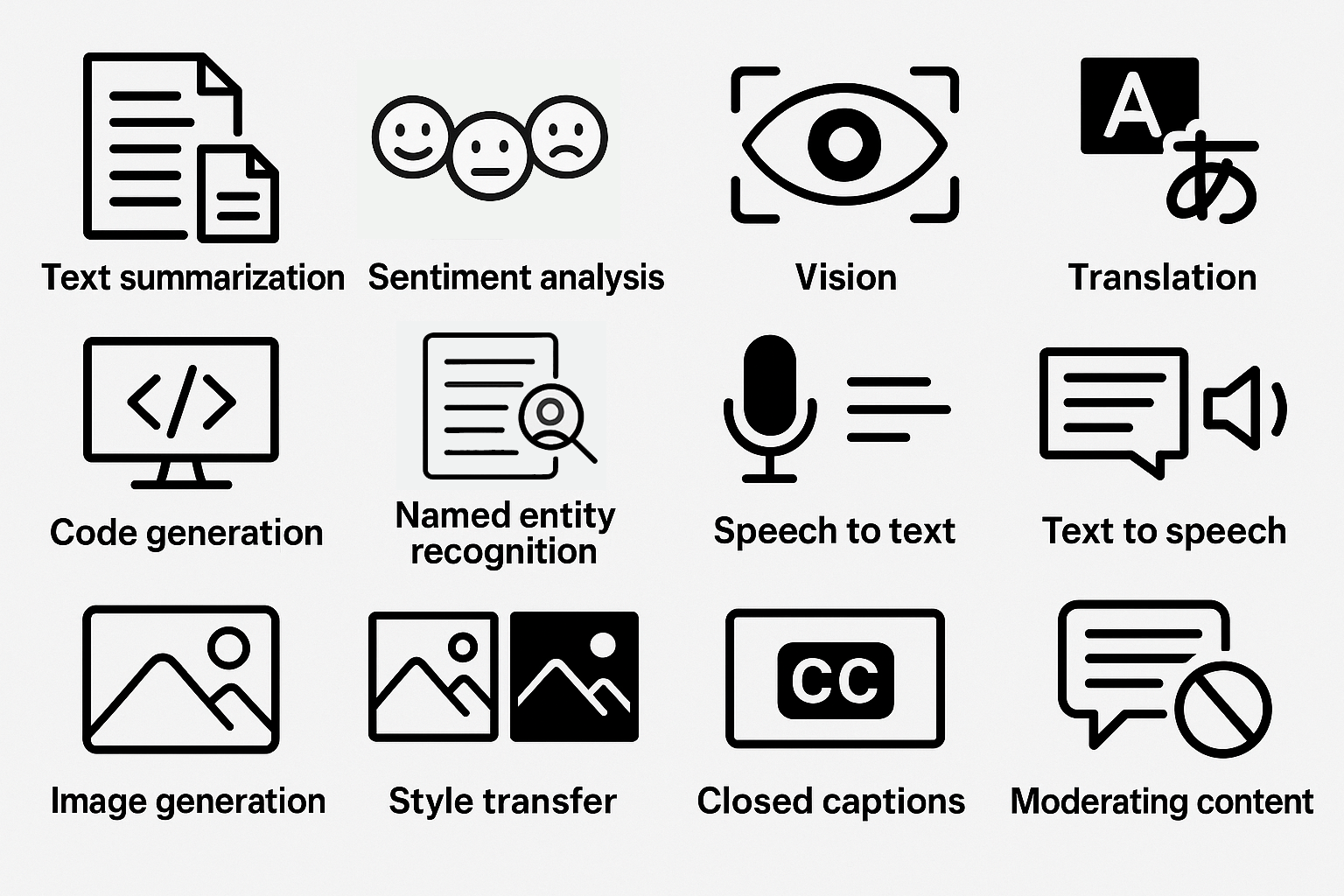
This guide links you to 34 videos totaling about 4.75 hours in Lesson 19 of our Java Fundamentals video course, in which Paul Deitel presents fully coded Java genAI apps that use the OpenAI APIs to
- summarize documents
- determine text’s sentiment (positive, neutral or negative)
- use vision capabilities to generate accessible image descriptions
- translate text among spoken languages
- generate and manipulate Java code
- extract from text named entities, such as people, places, organizations, dates, times, events, products, …
- transcribe speech to text
- synthesize speech from text, using one of OpenAI’s 11 voices and prompts that control style and tone
- create original images
- transfer art styles to images via text prompts
- transfer styles between images
- generate video closed captions
- filter inappropriate content
- generate and remix videos (under development at the time of this writing—uses OpenAI’s recently released Sora 2 API)
- build agentic AI apps (under development at the time of this writing—uses OpenAI’s recently released AgentKit)
The remaining videos overview concepts and present genAI prompt and coding exercises you can use to dig deeper into the covered topics.
- Videos: Building API-Based Java GenAI Applications: Overview (7m 29s)
- Videos: This Lesson Is Under Development (2m 42s)—Discusses my plans for enhancing this lesson with new examples as I continually create them.
How We Formed This Guide
We converted this document from our corresponding Python version. The initial Python draft was created using five genAIs—OpenAI’s ChatGPT, Google’s Gemini, Anthropic’s Claude, Microsoft’s Copilot and Perplexity. We provided each with
- a detailed prompt and
- a Chapter 18 draft from our forthcoming Python for Programmers, 2/e product suite.
We asked Claude to summarize the results, and tuned the summary to create the Python version of this guide, then updated it for the Java version of the videos discussed in this document.
Contacting Me with Questions
The OpenAI APIs are evolving rapidly. If you run into problems while working through the examples or find that something has changed, check the Deitel blog or email paul@deitel.com.
Downloading the Code
Go to the Java Fundamentals, 3/e GitHub Repository to get the source code that accompanies the videos referenced in this guide. The OpenAI API examples are located in the examples/ch19 folder.
Suggested Learning Workflow
If you watch the videos, you’ll get a code-example-rich intro to programming with the OpenAI APIs. To learn how to work with various aspects of the OpenAI APIs, I suggest that you:
- Watch the video for each example.
- Run the provided Java code.
- Complete the “Try It” coding challenges.
- Experiment by creatively combining APIs (e.g., transcribe audio then translate, or generate images with accessibility descriptions).
Key Takeaways
This comprehensive guide and the corresponding videos present practical skills for harnessing the power of OpenAI’s genAI APIs. You’ll:
- Master OpenAI APIs in Java and perform creative prompt engineering.
- Build complete, functional, multimodal apps that create and manipulate text, code, images, audio and video.
- Implement responsible accessibility and content moderation practices.
Caution: GenAIs make mistakes and even “hallucinate.” You should always verify their outputs.
Introduction
This video overviews the required official openai-java library, OpenAI’s fee-based API model, and monitoring and managing API usage costs.
- Video: Introduction (9m 45s)
OpenAI APIs
This video overviews the OpenAI APIs and models I’ll demo in this lesson.
- Video: OpenAI APIs (1m 36s)
- OpenAI Documentation: API Reference
- Try It: Browse the OpenAI API documentation and review the API subcategories.
- Try It: Prompt genAIs for an overview of responsible AI practices.
OpenAI Developer Account and API Key
Here, you’ll learn how to create your OpenAI developer account, generate an API key and securely store it in an environment variable. This required setup step will enable your apps to authenticate with OpenAI so they can make API calls. You’ll understand best practices for securing your API key. The OpenAI API is a paid service. If, for the moment, you do not want to code with paid APIs, reading this document, watching the videos and reading the code is still valuable.
- Video: OpenAI Developer Account and API Key (8m 2s)
- OpenAI Documentation: Account Setup, API Keys
- Try It: Create your OpenAI developer account, generate your first API key and store it securely using an environment variable.
Text Generation Via the Responses API
My text-generation examples introduce the Responses API, OpenAI’s primary text-generation interface. I show how to structure prompts, configure parameters, invoke the API and interpret responses. This API enables sophisticated conversational AI applications and is the foundation for many text-based genAI tasks.
- Video: Text Generation Via the Responses API: Overview (6m 8s)
- OpenAI Documentation: Text Generation Guide
Text Summarization
In this lengthy video, I provide the foundation you’ll need to work with openai-java in the subsequent examples. I use OpenAI’s natural language understanding capabilities to condense documents into concise summaries. I discuss crafting summarization prompts to control summary size and style. Text summarization is invaluable for efficiently processing large documents, articles and reports.
- Video: Text Summarization (37m 13s)
- Video: Text Summarization: GenAI Prompting and Coding Exercises (3m 12s)
- Video: Mapping
openai-javaClasses and Methods to OpenAI API Documentation (3m 53s) - Try It: Create a summarization tool that takes a long article and generates brief, moderate and detailed summaries.
Sentiment Analysis
This example uses OpenAI’s natural language understanding capabilities to analyze a text’s emotional tone and sentiment. It classifies text as positive, neutral or negative and asks the model to explain how it came to that conclusion.
- Video: Sentiment Analysis (6m 48s)
- Try It: Build a sentiment analyzer that classifies the sentiment of customer reviews and asks the genAI model to provide a confidence score from 0.0 to 1.0 for each, indicating the likelihood that the classification is correct. Confidence scores closer to 1.0 are more likely to be correct.
Vision: Accessible Image Descriptions
Here, I use OpenAI’s vision capabilities to generate brief and detailed image descriptions, making images accessible to users who are blind or have low vision.
- Video: Vision: Accessible Image Descriptions (23m 48s)
- Video: Accessible Image Descriptions: GenAI Prompting and Coding Exercises
- (1m 3s)
- OpenAI Documentation: Images and Vision Guide
Try It: Create an application that takes URLs for various images and generates both brief and comprehensive accessible descriptions suitable for screen readers.
Language Detection and Translation
In this example, I use OpenAI’s multilingual capabilities to auto–detect the language text is written in and translate text to other spoken languages.
- Video: Language Detection and Translation (7m 51s)
- Video: Language Detection and Translation: GenAI Prompting Exercises (54s)
- Try It: Build a translation tool that detects the input language and translates to a target language, preserving tone and context.
Code Generation
Discover how AI can generate, explain, and debug code across multiple programming languages. The first video covers code generation, understanding AI-generated code quality, and using AI as a coding assistant. In the second video, I discuss how genAIs can assist you with coding, including code generation, testing, debugging, documenting, refactoring, performance tuning, security and more.
- Video: Code Generation (11m 9s)
- Video: Code Generation: Other AI Code Capabilities (3m 35s)
- Video: Code Generation: GenAI Prompting Exercises (3m 7s)
- Try It: In a text prompt, describe the requirements for a method you need and submit a request to the Responses API to generate that method and provide test cases to show it works correctly. If not, call the Responses API again with the generated code and a prompt to refine the code.
Named Entity Recognition (NER) and Structured Outputs
In this example, I use OpenAI’s natural language understanding capabilities and named entity recognition to extract structured information from unstructured text, identifying entities such as people, places, organizations, dates, times, events, products, and more. The example shows that OpenAI’s APIs can return outputs as formatted, human-and-computer readable JSON (JavaScript Object Notation). NER is essential for building applications that process and organize information from documents and text sources.
- Video: Named Entity Recognition (NER) and Structured Outputs (19m 50s)
- Video: NER and Structured Outputs: Code and Prompt Exercises (5m 22s)
- OpenAI Documentation: Structured Model Outputs Guide
- Try It: Modify the NER example to perform parts-of-speech (POS) tagging—identifying each word’s part of speech (e.g., noun, verb, adjective, etc.) in a sentence. Use genAIs to research the commonly used tag sets for POS tagging. Prompt the model to return a structured JSON response with the parts of speech for the words in the supplied text. Display each word with its part of speech. Use these record classes:
public record PartOfSpeech(String text, String part) {} public record PartsOfSpeech(Listparts) {} - Try ItModify the NER example to translate text into multiple languages and display the results Prompt the model to translate the text it receives to the specified languages and to return only JSON-structured data in the following format:
{ "original_text": original_text_string,
"original_language": original_text_language_code, "translations": [ {
"language": translated_text_language_code,
"translation": translated_text_string } ] } - Try It: Create an NER tool that extracts and displays key entities from news articles.
Speech Recognition and Speech Synthesis
This video introduces speech–to–text transcription and text–to–speech conversion (speech synthesis) concepts for working with audio input and output in your apps. You’ll understand the models used in the transcription and synthesis examples, and explore the speech voices via OpenAI’s voice demo site—https://openai.fm.
- Video: Speech Recognition and Speech Synthesis: Overview (8m 20s)
- OpenAI Documentation: Speech to Text Guide
- OpenAI Documentation: Text to Speech Guide
- Try It: Try all the voices at https://openai.fm. Which do you prefer?
English Speech-to-Text (STT) for Audio Transcription
In this example, I convert spoken audio to text. Speech-to-text technology enables applications like automated transcription services, voice commands, and accessibility features.
- Video: English Speech-to-Text for Audio Transcription (10m 24s)
- Video: English Speech-to-Text for Audio Transcription: Generative AI Prompt Exercises (3m 5s)
- OpenAI Documentation: Speech to Text Guide
- Try It: Build a transcription tool that converts .mp3 and .m4a audio files to text.
Text-To-Speech (TTS)
In this example, I convert written text into natural-sounding speech with one of OpenAI’s 11 voice options. I discuss selecting voice options, specifying speech style and tone, and generating audio files. Text-to-speech technology is crucial for creating voice assistants, audiobook generation, and accessibility applications.
- Video: Text-To-Speech (14m 25s)
- Video: Text-To-Speech: Generative AI Prompting and Coding Exercises (1m 45s)
- OpenAI Documentation: Text to Speech Guide
- Try It: Create an app that converts documents to audio files with selectable voices.
Image Generation
Here, I create original images from text descriptions using OpenAI’s latest image-generation model. Image generation opens possibilities for creative content, design mockups, and visual storytelling.
- Video: Image Generation: Overview (6m 47s)
- Video: Image Generation (9m 26s)
- Video: Image Generation — Generative AI Prompting Exercises (1m 15s)
- OpenAI Documentation: Images and Vision Guide
- Try It: Build an image-generation tool that creates variations based on text prompts.
Image Style Transfer
In two examples, I apply artistic styles to existing images using the Images API’s edit capability with style-transfer prompts and the Responses API’s image generation tool to transfer the style of one image to another.
- Video: Image Style Transfer: Overview (2m 37s)
- Video: Style Transfer via the Images API’s Edit Capability and a Style-Transfer Prompt (15m 42s)
- Video: Style Transfer Via the Responses API’s Image Generation Tool (21m 9s)
- Video: Image Style Transfer: Generative AI Prompting Exercises (56s)
- OpenAI Documentation: Images and Vision Guide
- Try It: Create a style transfer application that transforms user photos into different artistic styles, such as Vincent van Gogh, Leonardo da Vinci and others.
Generating Closed Captions from a Video’s Audio Track
In this example, I generate closed captions from a video file’s audio track using OpenAI’s audio transcription capabilities. Closed captions enhance video accessibility and improve content searchability. This example covers caption formatting standards, audio extraction techniques and using the OpenAI Whisper-1 model, which supports generating captions with timestamps. I then use the cross-platform VLC Media Player to overlay the closed captions on the corresponding video.
- Video: Generating Closed Captions from a Video’s Audio Track (11m 18s)
- OpenAI Documentation: Speech to Text Guide
- Try It: Build a caption generator that programmatically extracts audio from videos and creates properly formatted subtitle files. Investigate the moviepy module for conveniently extracting a video’s audio track in Java.
Content Moderation
Here, I use OpenAI’s Moderation APIs to detect and filter inappropriate or harmful text and images—essential techniques for platforms hosting user-generated content. Paul presents moderation categories and severity levels, demonstrates the Moderation API with text inputs and discusses image moderation.
- Video: Content Moderation (13m 12s)
- Video: Content Moderation: Generative AI Prompting Exercise (1m 7s)
- OpenAI Documentation: Moderation Guide
- Try It: Create a content moderation system that screens user submissions and flags potentially problematic content.
Sora 2 Video Generation
Coming soon: This video introduces OpenAI’s recently Video API. I use the Sora 2 model in prompt-to-video, image-to-video and video remixing examples. I will add these videos based to the lesson as soon as I complete them.
- Video: Coming soon.
- OpenAI Documentation: Video Generation with Sora Guide
- OpenAI Documentation: Videos API
- Try It: Experiment with text-to-video prompts and explore the creative possibilities of AI video generation.
Closing Note
As I develop additional OpenAI API-based apps, I will add new videos to this Building API-Based Java GenAI Applications Java Fundamentals lesson. Some new example possibilities include:
- Generating and remixing videos with OpenAI’s Sora 2 API.
- Using OpenAI’s Realtime Audio APIs for speech-to-speech apps.
- Building AI agents with OpenAI’s AgentKit.
- Single-tool AI agents.
- Multi-tool AI agents.
- Single-agent applications.
- Multi-agent applications.
- Managing AI conversations that maintain state between Responses API calls.
Try It: Review the course materials and start planning your own GenAI applications using the techniques learned. Enjoy!
Additional Resources
- OpenAI Platform Documentation: https://platform.openai.com
- OpenAI Community Forum: https://community.openai.com
- Official OpenAI Java Library: https://github.com/openai/openai-java