New 11-Hour Video Course: OpenAI’s Python APIs, Agents SDK & Codex App: A Code-Intensive Intro
Course header image for "OpenAI's Python APIs, Agents SDK & Codex App — A Code-Intensive Intro"

September 17, 2026

Generative AI (GenAI) has transformed how we develop applications. I’ve been writing about and teaching programming for decades, and I don’t remember a shift this consequential arriving this quickly.

With prompts and simple API calls, you can programmatically have genAI models

  • generate and manipulate text, images and code,
  • recognize objects in images,
  • transcribe speech to text,
  • synthesize speech from text
  • and more.

Combining those skills with agentic AI enables you to build systems that reason about a goal, choose and invoke tools, evaluate results and keep going until the goal is achieved. And, with vibe coding and agentic engineering, you can describe in natural language what you want, and an AI coding agent can write, test, run, profile, document and refactor code while you supervise.

My new 11-hour video course, OpenAI’s Python APIs, Agents SDK and Codex App: A Code-Intensive Intro, covers all three. In the Deitel example-driven, live-code approach applied to 40+ complete working examples in Jupyter Notebooks, you’ll learn:

See the end of this post for info on viewing the videos on O’Reilly Online Learning or purchasing the videos from InformIT.com.


What You’ll Build

The course’s parts build on one another, moving from individual API calls to systems that work on your behalf. Along the way, you’ll:

  • call OpenAI’s APIs to generate and manipulate text, images and code,
  • work with audio — transcribing speech to text, synthesizing speech from text and generating closed captions,
  • use vision to analyze images and recognize the objects in them,
  • build agents that use hosted tools, custom tools you write yourself and tools running on MCP servers,
  • ground agents in your own documents and connect them to your own systems,
  • give agents supervised access to a web browser and to other apps on your computer, with human-in-the-loop approval before an agent acts, and
  • hand coding tasks to the Codex agent and supervise as it writes, runs, tests, documents, refactors your code and more.

Target Audience

  • Python developers who want a code-intensive intro to genAI and agentic AI technologies and want to stay ahead of the curve and enhance career opportunities.
  • Python developers who want to integrate OpenAI’s generative and agentic capabilities into their existing Python workflows.
  • IT managers contemplating new Python projects that will use genAI and agentic technologies and who want an example-driven guided survey of OpenAI’s Python APIs, Agents SDK and Codex.
  • Technical leads or architects evaluating whether and how to incorporate OpenAI APIs and agentic capabilities into their teams’ products and who want a guided survey of OpenAI’s Python APIs, Agents SDK and Codex.

If you’re new to Python, consider starting with Lessons 1–10 of my Python Fundamentals, 2/e video course on O’Reilly Online Learning before watching this course.


What You’ll Need

The OpenAI APIs are online, paid web services, so you’ll need an OpenAI developer account and an API key stored in your OPENAI_API_KEY environment variable. I discuss how to obtain and store this key in the course’s Part 0: Intro and Setup.

The code and Jupyter Notebooks are available in my GitHub repository: pdeitel/OpenAI-APIs-Agents-SDK-and-Codex-Video-Course.

I wrote and tested my demos using Python 3.14 in the Anaconda Python distribution. (Codex and Claude Code both say the examples should work in 3.10 and higher.) The GitHub repository includes setup scripts for macOS and Windows Anaconda users (recommended) or pip/venv users.


Part 0: Intro and Setup

Part 0 gets you oriented and running. I map out the OpenAI Python ecosystem — how the OpenAI Python SDK, the Agents SDK and the Codex app relate to one another and when you’d use each — then walk through running the setup scripts, launching JupyterLab from the course folder, creating your OpenAI developer account and storing your API key safely in an environment variable (never in your source code).


Part 1: OpenAI Python APIs via the OpenAI Python SDK

In this part’s five notebooks, I present 20 examples introducing OpenAI’s core APIs — the foundation for everything that follows.

Start Here: The Responses API

01-01: Text Generation via the Responses API introduces the Responses API — the recommended interface for many use cases and the foundation of the OpenAI Agents SDK presented in Part 2. You’ll implement text generation, summarization, sentiment analysis, vision (object recognition), translation and structured JSON outputs, stream responses as they’re generated (so it looks like the model is typing) and render results as Markdown.

Most later examples build on the patterns you learn in this notebook. Here’s a simple example of an API interaction — two imports, a client object and one call:

from openai import OpenAI
from pathlib import Path

client = OpenAI()  # reads your OPENAI_API_KEY environment variable

transcript = (Path('resources') / 'transcript.txt').read_text()

model_instructions = """Given a Python technical presentation's
transcript, present a numbered list of the top 5 key points.
Use concise, direct sentences and avoid abbreviations."""

response = client.responses.create(model='gpt-5.4-nano',
    instructions=model_instructions, input=transcript)

print(response.output_text)

Other Part 1 Notebooks

NotebookWhat you’ll do
01-02: Speech Recognition, Speech Synthesis and Closed CaptionsTranscribe an audio track to text, synthesize speech from text, and generate WebVTT closed captions from a video’s audio track.
01-03: Images: Generation and Style TransferGenerate original images from text prompts, then restyle existing images into various art styles.
01-04: Content ModerationUse OpenAI’s moderation endpoint to detect harmful content in text and images, so your applications can filter such content before it reaches your users.
01-05: Generating Code with a Codex Model and the Responses APIPrompt a Codex model programmatically to generate a script, explain existing code, document code with type hints and docstrings, write unit tests, performance-tune, and translate code to another language. We’ll revisit many of these tasks in Part 3, where you’ll describe what you want in natural language and let the Codex agent do the work — including running the code it generates and modifies.

Part 2: The OpenAI Agents SDK

This is the heart of the course, where you’ll create agents that act on your behalf — 18 examples building from a single agent to multi-agent systems with hosted tools, local tools, MCP servers, browser automation and shell tool commands.

Getting an Agent Running

02-00: Agents SDK Introduction is the conceptual map for everything that follows. I discuss the SDK’s building blocks — agents, runners, tools, handoffs and guardrails — and the ReAct (Reason + Act) pattern that underlies agentic behavior.

Then you build one. 02-01: Single-Agent System — Python Tutor uses Agent, Runner.run() and RunResult to create a tutor that answers Python questions. You’ll see how little code it takes to build and run an agent.

Three notebooks then make that first agent practical. Agents are stateless by default, so 02-02: Conversation State in Agents gives yours a memory for multi-step conversations and weighs the trade-offs among server-side state, local persistence and manual conversation management. 02-03: Streaming Text and Events delivers output token-by-token as it’s produced, rather than making the user wait for the complete response. And 02-04: Python Tutor with a Model-Backed Input Guardrail adds an LLM-backed guardrail that screens incoming requests for relevance and refuses off-topic input — guardrails let you set conditions for which inputs your agents process and which outputs they return.

Tools — Where Agents Get Their Capabilities

Tools are what enable an agent to act rather than simply generate text. 02-05-00: Tools Overview lays out the taxonomy — hosted tools that run on OpenAI’s infrastructure, custom tools you write yourself, local tools that run on your machine and hosted tools that run on MCP servers in the cloud — and the next notebooks work through it one capability at a time.

Hosted tools and your own — in 02-05-01: Financial Research Agent, you write your own function tool and combine it with the hosted WebSearchTool to build an agent that researches a company and reports back. You’ll learn how the SDK turns a plain Python function’s signature and docstring into a tool the model can call, and how web search acts as retrieval-augmented generation (RAG), extending a model beyond its training data. 02-05-02: Image Generation and Editing with ImageGenerationTool then lets an agent generate and edit images as part of its reasoning loop, rather than you calling the image API yourself — the difference between you orchestrating a capability and an agent deciding when to use it.

Grounding an agent in your own data — 02-05-03: Multi-Agent Deitel Book Concierge with FileSearchTool builds a retrieval-augmented generation (RAG) system over a vector store of Deitel book content, with multiple specialist agents and handoffs between them, so the agent answers from your documents rather than hallucinating. 02-05-04: Code Interpreter Tool gives an agent a CodeInterpreterTool running in a hosted container, so it can write and execute Python code to answer questions it can’t answer by reasoning alone. You’ll learn where the sandbox boundaries are and what comes back from a run.

Connecting agents to your systems with MCP — 02-05-05: Local MCP — SQLite Books Database connects an agent to a local Model Context Protocol server and lets it query a database in natural language, which is how you expose your own systems to agents. 02-05-06: Hosted MCP — Weather and Geocoding does the same against a hosted MCP server, and I discuss the difference between local and hosted MCP servers and when to use each.

Agents that operate apps on your computer — 02-05-07: AccuWeather Agent with ComputerTool builds an agent that controls a real Chromium browser on your machine, navigating AccuWeather.com and reading the forecast. The point is that an agent can drive an application directly, and that human oversight matters when it does. 02-05-08: ShellTool Folder Inspector builds an agent with a custom shell executor that inspects a project folder and generates a README, with human-in-the-loop approval before any command runs. You’ll learn how to supervise and approve an agent’s local system access.

Changing What an Agent Is

Two closing examples show how much you can vary without rewriting your agent. The Agents SDK is model-agnostic, so 02-05-09: Local LLM via LiteLLM and Ollama swaps OpenAI’s hosted models for an open-source model running locally on your own machine using LitellmModel. (Optional: this demo requires an ~8 GB model download.) And 02-05-10: Python Code Tutor with Dynamic Instructions replaces static instructions with a function that builds instructions at runtime based on context, so you can adapt an agent’s persona, difficulty level or domain per user without deploying a second agent.


Part 3: Vibe Coding and Agentic Engineering with the Codex App

In Part 3, we’ll move away from writing Python code ourselves to describing a task in natural language and letting the Codex agent do the work — with your human-in-the-loop supervision.

In 03-00: Overview, I introduce vibe coding and agentic engineering and discuss why human programmers are still crucial for real-world, business- and mission-critical application development. 03-01: AGENTS.md covers the single project-level instructions file — conventions, rules, constraints and more — that shapes an agent’s behavior across every project task. 03-02: Connecting Codex to Your Project Folder wires the Codex desktop app to a local project folder, asks Codex to study the folder’s contents, then asks it to discuss what it learned.

Then I present six hands-on demos — deliberately the same tasks you scripted against the Responses API in notebook 01-05:

The taskPart 1: you write the codePart 3: Codex does the work
Generate a scriptYou prompt the API and get code back to run yourself.03-03 — Codex writes a script that produces a heart-shaped word cloud from Shakespeare’s Romeo and Juliet, runs it (with your permission) and fixes it if it doesn’t run correctly.
Explain codeYou submit code and read the explanation.03-04 — Codex walks you through the code it just wrote, line by line, in as much or as little detail as your Python expertise calls for. You’ll learn to verify, not just trust.
Document codeYou request type hints, docstrings and comments.03-05 — You give Codex undocumented Python code and ask it to add type hints, docstrings and inline comments, if appropriate.
Write unit testsYou ask for tests against a snippet.03-06 — Codex studies a dice-game project that wasn’t developed with unit testing in mind, suggests a refactoring plan you adjust or approve, then refactors the code and develops the tests.
Performance tuneYou ask for a faster version.03-07 — Codex profiles and optimizes suboptimal die-rolling code — an example we use in our books to introduce the Law of Large Numbers — then runs test cases comparing the original and optimized versions.
Translate to another languageYou ask for a port and inspect it.03-08 — Codex ports working code from Python to Java, and you’ll learn what idiomatic translation requires beyond a syntax swap.

Comparing the two approaches shows what the agent adds: it runs the code, evaluates the results and corrects its own work, with you supervising each step.

I’ll also discuss how I’ve used Codex for non-coding tasks — the foundation of ChatGPT’s new “Work” feature.


Wrap-Up and Additional References

I close with where to go next, extensive additional references and a guide to the OpenAI SDK’s extensive examples repository — organized into a sensible learning sequence rather than an alphabetical list.


Getting the Course

O’Reilly Online Learning subscribers can start watching now — the entire course is included in my Python Fundamentals, 2/e video course at no additional cost.

Anyone can purchase the standalone video course from InformIT.com (Pearson).

Published August 7, 2026 · ISBN 978-0-13-616451-7 · Online Video, $499.99. For a limited time, use the discount code DEITELVIDEO to get 40% off the list price when purchasing the videos from InformIT.com. Offer expires at 11:59 PM Eastern Time on October 31, 2026. Discount may not be combined with any other offer and is not redeemable for cash. Offer subject to change.


Hope You Enjoy It!

Everything in this course is hands-on. Download the repository, run the setup script, set up your API key, and run the notebooks alongside the videos. That’s how these examples are meant to be experienced — and it’s how you’ll actually retain them.

Please share this post with friends and colleagues who might find it helpful, and contact me with your questions and feedback.

© 2026 by Deitel & Associates, Inc. All Rights Reserved.
New Course Alert! July 23, 2026: “OpenAI’s Python APIs, Agents SDK & Codex App — A Code-Intensive Intro”

Course header image for "OpenAI's Python APIs, Agents SDK & Codex App — A Code-Intensive Intro"

Updated July 9, 2026

On Thursday, July 23, 2026, at 12 PM EDT, Paul Deitel is presenting his new O’Reilly live training introducing the OpenAI Python SDK, the Agents SDK and the Codex vibe coding and agentic engineering app.

This is an aggressively paced, presentation-only, code-intensive, five-hour course in which Paul demonstrates various concepts from the OpenAI Python SDK and Agents SDK using working Python code presented in Jupyter Notebooks. Then, he demonstrates some of the same capabilities by prompting the Codex AI agent to do the work autonomously. 

The notebooks will be available on GitHub so you can experiment with these capabilities after the session using your OpenAI developer account and API key to access these paid services. 

What the Course Covers

After a brief introduction and overview of the software setup, Paul will cover three major topic areas:

  • In Part 1, OpenAI Python APIs via the OpenAI Python SDK, Paul demonstrates APIs for text generation, summarization, sentiment analysis, translation, speech recognition, speech synthesis, image generation and editing, content moderation, and various AI coding tasks.
  • In Part 2, OpenAI Agents SDK, Paul builds single-agent and multi-agent systems, covering the ReAct (Reason + Act) pattern, conversation state, guardrails, agent orchestration and tools for extending agents’ capabilities—including web search, file search, code interpreter, computer use, and Model Context Protocol (MCP) servers for accessing tools outside the OpenAI ecosystem.
  • In Part 3, Vibe Coding with the OpenAI Codex App, Paul describes common coding tasks in natural language, then lets the Codex agent perform them, with human-in-the-loop guidance as appropriate. He also discusses how he’s used Codex to perform non-coding tasks. 

Who Should Attend

This live event is for you because…

  • You’re a Python developer who sees exciting generative AI and agentic AI technologies popping up everywhere, and you want to stay ahead of the curve and enhance your career opportunities with a code-intensive intro to them.
  • You’re a Python developer who wants to integrate OpenAI’s generative AI and agentic capabilities into your existing Python workflows.
  • You’re a manager contemplating Python projects that use generative AI and agentic technologies, and want a code-based intro for you and your staff.
  • You’re a technical lead or architect evaluating whether and how to incorporate OpenAI APIs and agentic capabilities into your team’s products, and you want a guided intro to these features.

Hope to see you there!

Building OpenAI API-Based Java GenAI Applications—A Guide to the Deitel Videos on the O’Reilly Online Learning Subscription Site

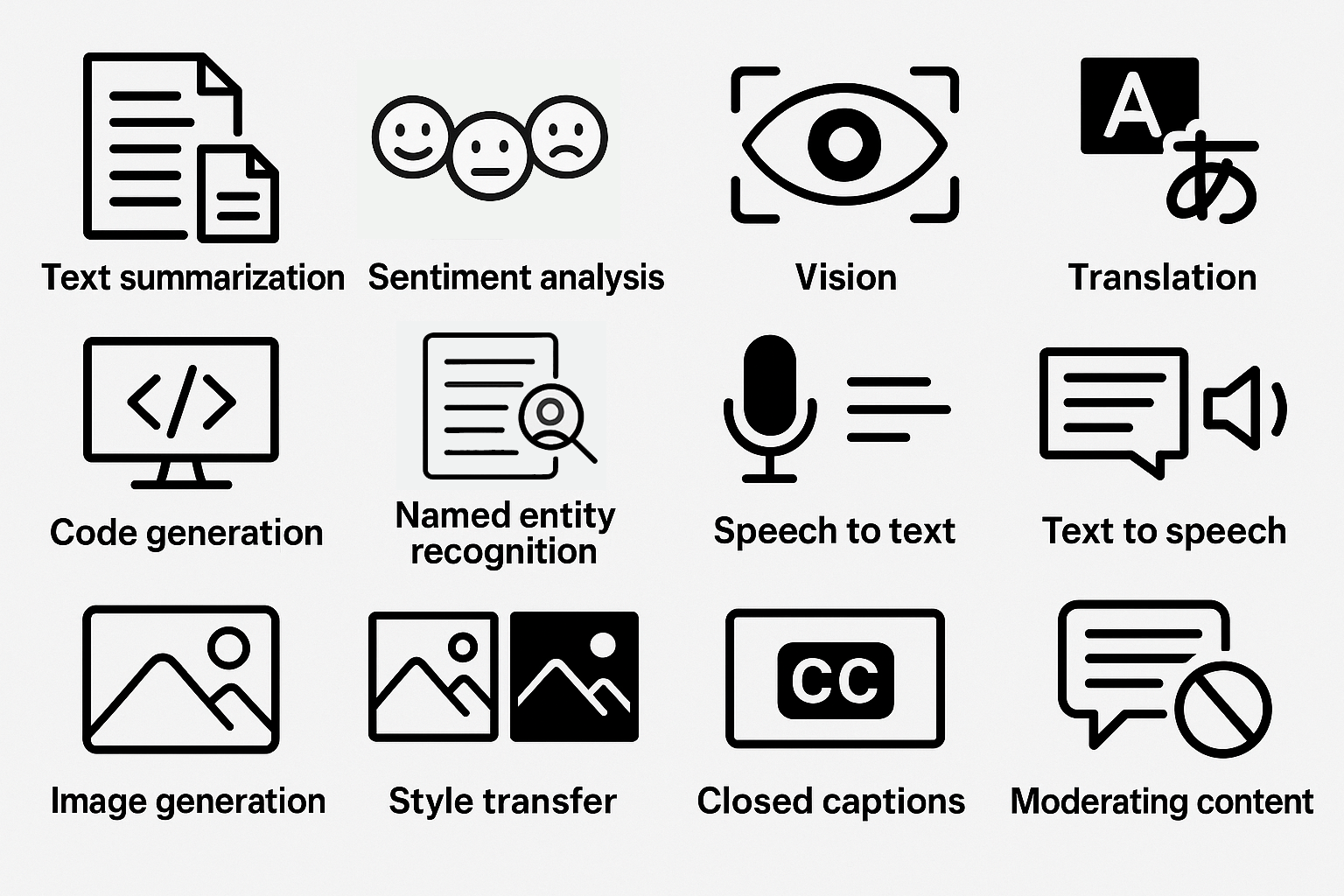
Image for the OpenAI APIs we demonstrate

[Estimated reading time for this document: 20 minutes. Estimated time to watch the linked videos and run the Java code: 5 hours. Please share this guide with your friends and colleagues who might find it helpful.]

This comprehensive guide overviews Lesson 19, Building OpenAI API-Based Java Generative AI Applications, from my Java Fundamentals video course on O’Reilly Online Learning. The lesson focuses on building Java apps using OpenAI’s generative AI (genAI) APIs and the official openai-java library. This document guides you through my hands-on code examples and provides “Try It” exercises for experimenting with the APIs. You’ll leverage the OpenAI APIs to create intelligent, multimodal apps that understand, generate and manipulate text, code, images, audio and video content.

This guide links you to 34 videos totaling about 4.75 hours in Lesson 19 of our Java Fundamentals video course, in which Paul Deitel presents fully coded Java genAI apps that use the OpenAI APIs to

  • summarize documents
  • determine text’s sentiment (positive, neutral or negative)
  • use vision capabilities to generate accessible image descriptions
  • translate text among spoken languages
  • generate and manipulate Java code
  • extract from text named entities, such as people, places, organizations, dates, times, events, products, …
  • transcribe speech to text
  • synthesize speech from text, using one of OpenAI’s 11 voices and prompts that control style and tone
  • create original images
  • transfer art styles to images via text prompts
  • transfer styles between images
  • generate video closed captions
  • filter inappropriate content
  • generate and remix videos (under development at the time of this writing—uses OpenAI’s recently released Sora 2 API)
  • build agentic AI apps (under development at the time of this writing—uses OpenAI’s recently released AgentKit)

The remaining videos overview concepts and present genAI prompt and coding exercises you can use to dig deeper into the covered topics.

How We Formed This Guide

We converted this document from our corresponding Python version. The initial Python draft was created using five genAIs—OpenAI’s ChatGPT, Google’s Gemini, Anthropic’s Claude, Microsoft’s Copilot and Perplexity. We provided each with

  • a detailed prompt and
  • a Chapter 18 draft from our forthcoming Python for Programmers, 2/e product suite.

We asked Claude to summarize the results, and tuned the summary to create the Python version of this guide, then updated it for the Java version of the videos discussed in this document.

Contacting Me with Questions

The OpenAI APIs are evolving rapidly. If you run into problems while working through the examples or find that something has changed, check the Deitel blog or email paul@deitel.com.

Downloading the Code

Go to the Java Fundamentals, 3/e GitHub Repository to get the source code that accompanies the videos referenced in this guide. The OpenAI API examples are located in the examples/ch19 folder.

Suggested Learning Workflow

If you watch the videos, you’ll get a code-example-rich intro to programming with the OpenAI APIs. To learn how to work with various aspects of the OpenAI APIs, I suggest that you:

  • Watch the video for each example.
  • Run the provided Java code.
  • Complete the “Try It” coding challenges.
  • Experiment by creatively combining APIs (e.g., transcribe audio then translate, or generate images with accessibility descriptions).

Key Takeaways

This comprehensive guide and the corresponding videos present practical skills for harnessing the power of OpenAI’s genAI APIs. You’ll:

  • Master OpenAI APIs in Java and perform creative prompt engineering.
  • Build complete, functional, multimodal apps that create and manipulate text, code, images, audio and video.
  • Implement responsible accessibility and content moderation practices.

Caution: GenAIs make mistakes and even “hallucinate.” You should always verify their outputs.

Introduction

This video overviews the required official openai-java library, OpenAI’s fee-based API model, and monitoring and managing API usage costs.

OpenAI APIs

This video overviews the OpenAI APIs and models I’ll demo in this lesson.

  • Video: OpenAI APIs (1m 36s)
  • OpenAI Documentation: API Reference
  • Try It: Browse the OpenAI API documentation and review the API subcategories.
  • Try It: Prompt genAIs for an overview of responsible AI practices.

OpenAI Developer Account and API Key

Here, you’ll learn how to create your OpenAI developer account, generate an API key and securely store it in an environment variable. This required setup step will enable your apps to authenticate with OpenAI so they can make API calls. You’ll understand best practices for securing your API key. The OpenAI API is a paid service. If, for the moment, you do not want to code with paid APIs, reading this document, watching the videos and reading the code is still valuable.

Text Generation Via the Responses API

My text-generation examples introduce the Responses API, OpenAI’s primary text-generation interface. I show how to structure prompts, configure parameters, invoke the API and interpret responses. This API enables sophisticated conversational AI applications and is the foundation for many text-based genAI tasks.

Text Summarization

In this lengthy video, I provide the foundation you’ll need to work with openai-java in the subsequent examples. I use OpenAI’s natural language understanding capabilities to condense documents into concise summaries. I discuss crafting summarization prompts to control summary size and style. Text summarization is invaluable for efficiently processing large documents, articles and reports.

Sentiment Analysis

This example uses OpenAI’s natural language understanding capabilities to analyze a text’s emotional tone and sentiment. It classifies text as positive, neutral or negative and asks the model to explain how it came to that conclusion.

  • Video: Sentiment Analysis (6m 48s)
  • Try It: Build a sentiment analyzer that classifies the sentiment of customer reviews and asks the genAI model to provide a confidence score from 0.0 to 1.0 for each, indicating the likelihood that the classification is correct. Confidence scores closer to 1.0 are more likely to be correct.

Vision: Accessible Image Descriptions

Here, I use OpenAI’s vision capabilities to generate brief and detailed image descriptions, making images accessible to users who are blind or have low vision.

Try It: Create an application that takes URLs for various images and generates both brief and comprehensive accessible descriptions suitable for screen readers.

Language Detection and Translation

In this example, I use OpenAI’s multilingual capabilities to auto–detect the language text is written in and translate text to other spoken languages.

Code Generation

Discover how AI can generate, explain, and debug code across multiple programming languages. The first video covers code generation, understanding AI-generated code quality, and using AI as a coding assistant. In the second video, I discuss how genAIs can assist you with coding, including code generation, testing, debugging, documenting, refactoring, performance tuning, security and more.

Named Entity Recognition (NER) and Structured Outputs

In this example, I use OpenAI’s natural language understanding capabilities and named entity recognition to extract structured information from unstructured text, identifying entities such as people, places, organizations, dates, times, events, products, and more. The example shows that OpenAI’s APIs can return outputs as formatted, human-and-computer readable JSON (JavaScript Object Notation). NER is essential for building applications that process and organize information from documents and text sources.

  • Video: Named Entity Recognition (NER) and Structured Outputs (19m 50s)
  • Video: NER and Structured Outputs: Code and Prompt Exercises (5m 22s)
  • OpenAI Documentation: Structured Model Outputs Guide
  • Try It: Modify the NER example to perform parts-of-speech (POS) tagging—identifying each word’s part of speech (e.g., noun, verb, adjective, etc.) in a sentence. Use genAIs to research the commonly used tag sets for POS tagging. Prompt the model to return a structured JSON response with the parts of speech for the words in the supplied text. Display each word with its part of speech. Use these record classes:
    public record PartOfSpeech(String text, String part) {}
    public record PartsOfSpeech(List parts) {}
  • Try ItModify the NER example to translate text into multiple languages and display the results Prompt the model to translate the text it receives to the specified languages and to return only JSON-structured data in the following format:
    {
       "original_text": original_text_string,
    "original_language": original_text_language_code, "translations": [ {
    "language": translated_text_language_code,
    "translation": translated_text_string } ] }
  • Try It: Create an NER tool that extracts and displays key entities from news articles.

Speech Recognition and Speech Synthesis

This video introduces speech–to–text transcription and text–to–speech conversion (speech synthesis) concepts for working with audio input and output in your apps. You’ll understand the models used in the transcription and synthesis examples, and explore the speech voices via OpenAI’s voice demo site—https://openai.fm.

English Speech-to-Text (STT) for Audio Transcription

In this example, I convert spoken audio to text. Speech-to-text technology enables applications like automated transcription services, voice commands, and accessibility features.

Text-To-Speech (TTS)

In this example, I convert written text into natural-sounding speech with one of OpenAI’s 11 voice options. I discuss selecting voice options, specifying speech style and tone, and generating audio files. Text-to-speech technology is crucial for creating voice assistants, audiobook generation, and accessibility applications.

Image Generation

Here, I create original images from text descriptions using OpenAI’s latest image-generation model. Image generation opens possibilities for creative content, design mockups, and visual storytelling.

Image Style Transfer

In two examples, I apply artistic styles to existing images using the Images API’s edit capability with style-transfer prompts and the Responses API’s image generation tool to transfer the style of one image to another.

Generating Closed Captions from a Video’s Audio Track

In this example, I generate closed captions from a video file’s audio track using OpenAI’s audio transcription capabilities. Closed captions enhance video accessibility and improve content searchability. This example covers caption formatting standards, audio extraction techniques and using the OpenAI Whisper-1 model, which supports generating captions with timestamps. I then use the cross-platform VLC Media Player to overlay the closed captions on the corresponding video.

Content Moderation

Here, I use OpenAI’s Moderation APIs to detect and filter inappropriate or harmful text and images—essential techniques for platforms hosting user-generated content. Paul presents moderation categories and severity levels, demonstrates the Moderation API with text inputs and discusses image moderation.

Sora 2 Video Generation

Coming soon: This video introduces OpenAI’s recently Video API. I use the Sora 2 model in prompt-to-video, image-to-video and video remixing examples. I will add these videos based to the lesson as soon as I complete them.

  • Video: Coming soon.
  • OpenAI Documentation: Video Generation with Sora Guide
  • OpenAI Documentation: Videos API
  • Try It: Experiment with text-to-video prompts and explore the creative possibilities of AI video generation.

Closing Note

As I develop additional OpenAI API-based apps, I will add new videos to this Building API-Based Java GenAI Applications Java Fundamentals lesson. Some new example possibilities include:

  • Generating and remixing videos with OpenAI’s Sora 2 API.
  • Using OpenAI’s Realtime Audio APIs for speech-to-speech apps.
  • Building AI agents with OpenAI’s AgentKit.
  • Single-tool AI agents.
  • Multi-tool AI agents.
  • Single-agent applications.
  • Multi-agent applications.
  • Managing AI conversations that maintain state between Responses API calls.

Try It: Review the course materials and start planning your own GenAI applications using the techniques learned. Enjoy!

Additional Resources

Getting an OpenAI API Key

Image for the blog post, "Getting an OpenAI API Key"

Updated October 28, 2025

This guide provides instructions for setting up your OpenAI Developer Account and securely storing your API Key. This is essential for using our book and video products that interact with the OpenAI APIs.


🔑 Step 1: Get an OpenAI Developer Account

Signup: You’ll need to sign up for an account. Use the following link: https://platform.openai.com/signup.

Additional relevant info:


Step 2: Get an OpenAI Developer API Key

  1. Sign into your account at https://platform.openai.com/docs/overview.
  2. In the upper-right corner, press the settings icon.
  3. In the left column under the Project heading, select API keys.
  4. Press + Create new secret key.
  5. Optionally, specify an API key Name, then press Create secret key button.
  6. Press the Copy button to copy the alphanumeric key to the clipboard. 

Step 3: Storing the API Key as an Environment Variable

For security, it’s best practice to store your API key as an environment variable rather than directly in your code. We’ll use the variable name OPENAI_API_KEY.

Storing the API Key in macOS

  1. Open Terminal.
  2. Open the configuration file ~/.zshrc using a text editor (e.g., nano ~/.zshrc).
    • nano ~/.zshrc
  3. Scroll to the end of the file and add the following line, replacing YourAPIKey with the lengthy alphanumeric key you copied previously:
    • export OPENAI_API_KEY="YourAPIKey"
  4. Save and close the file.
  5. Run the following command in the Terminal to apply the changes:
    • source ~/.zshrc

Storing the API Key on Windows

  1. In the taskbar’s Search field, enter SystemPropertiesAdvanced, and press Enter.
  2. In the System Properties dialog, press the Environment Variables… button.
  3. Under User variables, press New….
  4. Enter the Variable name as OPENAI_API_KEY.
  5. For the Variable value, paste in the lengthy alphanumeric API key you copied previously.
  6. Press OK to save the environment variable, then press OK in the System Properties dialog to close it.
  7. Restart your command line before launching iPython or Jupyter Lab to ensure the new variable is loaded.

You are now ready to use the OpenAI APIs with your Deitel products!

Twitter v2 Update for Our Python Books and Videos

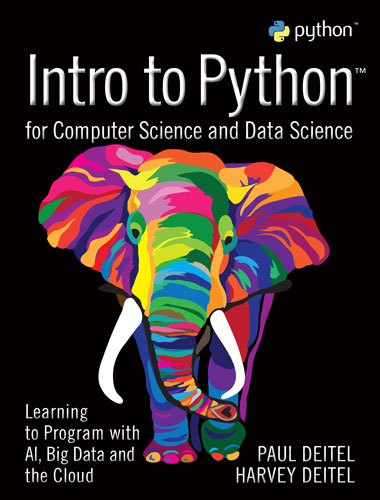
Intro to Python for Computer Science and Data Science: Learning to Program with AI, Big Data and the Cloud
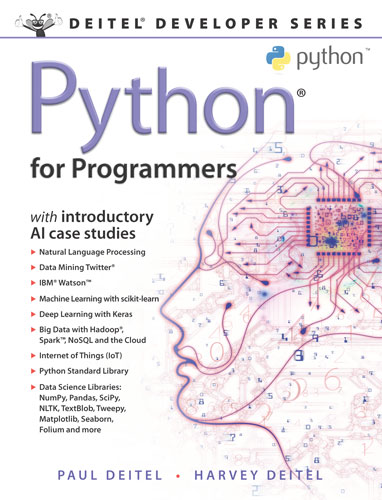
Python for Programmers
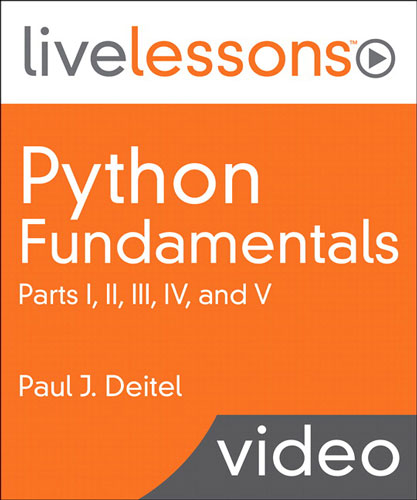
Python Fundamentals
Updated September 7, 2023—We’re leaving this post up for anyone who might still have access to the Twitter APIs. The Twitter API’s free tier is now so limited that most of what we demonstrate in our Twitter chapter/lesson is longer available. Higher levels of paid access are too expensive for average users and students. The first paid tier ($100/month) provides basic capabilities and no streaming access (the free tier used to allow access to 1% of the daily live stream). The second paid tier gives more access and some streaming capability, but costs $5000/month and caps the total number of tweets at 1,000,000. Significant access to the live stream of tweets costs tens of thousands of dollars per month. There has been some discussion of an academic/research tier, but as of now, we have not seen any indication of when or if this will be available.
Attention users of the following Python products:
  • Intro to Python for Computer Science and Data Science: Learning to Program with AI, Big Data and the Cloud
  • Python for Programmers
  • Python Fundamentals LiveLessons

On August 18, 2022, we discovered that new Twitter developer accounts cannot access the Twitter v1.1 APIs on which we based Intro to Python‘s Chapter 13, Data Mining Twitter, and two case studies in Chapter 17, Big Data: Hadoop, Spark, NoSQL and IoT. Chapters 13 and 17 correspond to Chapters/Lessons 12 and 16 in our Python for Programmers book and Python Fundamentals LiveLessons videos.

Twitter users who already had Twitter developer accounts can still access the Twitter v1.1 APIs, but most of our Python content users will not fall into this category.

We’ve updated all our Twitter examples to the Twitter v2 APIs now. In addition, for the Intro to Python textbook, we need to update the instructor’s manual solutions and test-item file.

Updated chapters from our books are now available:

Updated instructor slides for Chapter 13 of the textbook should be available now in the Pearson Instructor Resource Center (IRC). Other updated instructor supplements will be updated there as we complete them.

Updated source-code files are available in the books’ IntroToPython and PythonForProgrammers GitHub repositories at https://github.com/pdeitel.

I’ll be re-recording the Python Fundamentals LiveLessons videos’ Lesson 12 soon.

If you have any questions, please email paul@deitel.com.

C How to Program, 9/e Errata

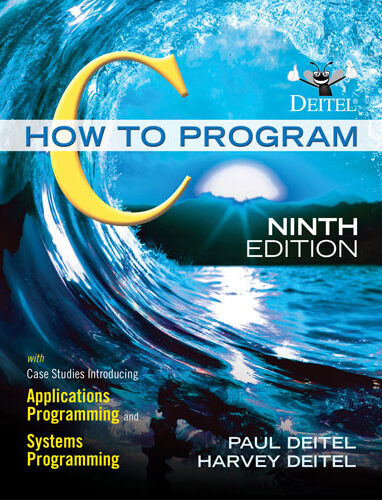
C How to Program, 9/e Cover

 This post contains the C How to Program, 9/e errata list. We’ll keep this up-to-date as we become aware of additional errata items. Please Contact Us with any you find.

Note: After publication, we discovered a bug in our authoring software that deleted some items in single quotes, like ‘A’, from our code tables. The source-code files were not affected, but occasionally a single-quoted item is missing from a code table in the text.

Last updated January 15, 2023

Chapter 2 — Intro to C Programming

  • Page 76, in Section 2.5: “+, / and %” should be “*, / and %“.

Chapter 4 — Program Control

  • Page 149, “Notes on Integral Types”:

    –32767 should be –32768
    –2147483647 should be –2147483648
    –127 should be –128

Chapter 5 — Pointers

  • Page 214, Fig. 5.9: The example should produce factorial values through 20, not 21. The value displayed for factorial(21) in the program output is incorrect because unsigned long long is not capable of representing that value.

Chapter 7 — Pointers

  • Page 320, line 19 of Fig. 7.6 should be:
    while (*sPtr != '\0') {
  • Page 321, line 22 of Fig. 7.7, should be
    for (; *sPtr != '\0'; ++sPtr) {

Chapter 10 — Structures, Unions, Bit Manipulation and Enumerations

  • Page 496, Fig. 10.4, line 24 should be:
    putchar(value & displayMask ? '1' : '0');
  • Page 496, Fig. 10.4, line 28 should be:
    putchar(' ');
  • Page 496, Fig. 10.4, line 32 should be:
    putchar('\n');
  • Page 497, seventh text line on the page should be:
    putchar(value & displayMask ? '1' : '0');
  • Page 499, Fig. 10.5, line 53 should be:
    putchar(value & displayMask ? '1' : '0');
  • Page 499, Fig. 10.5, line 57 should be:
    putchar(' ');
  • Page 499, Fig. 10.5, line 61 should be:
    putchar('\n');
  • Page 502, Fig. 10.6, line 32 should be:
    putchar(value & displayMask ? '1' : '0')
  • Page 502, Fig. 10.6, line 36 should be:
    putchar(' ');
  • Page 502, Fig. 10.6 line 40 should be:
    putchar('\n');

Questions? Contact us!

Pin It on Pinterest